

I spent the better part of six months bouncing between a dozen different platforms, chasing the best AI music generation tools 2026 has actually produced, and honestly, half of them disappointed me. The other half? Genuinely useful. If you’re a creator hunting for royalty-free tracks, a marketer who needs a jingle by Friday, or a musician curious whether text-to-music software can replace a session player, this rundown is for you. I’m not repeating spec sheets pulled from press releases.
What follows is what happened when I actually typed prompts into these AI song generators, judged the output with my own ears, and figured out which ones are worth your money.
What Actually Changed in the Best AI Music Generation Tools 2026 Lineup
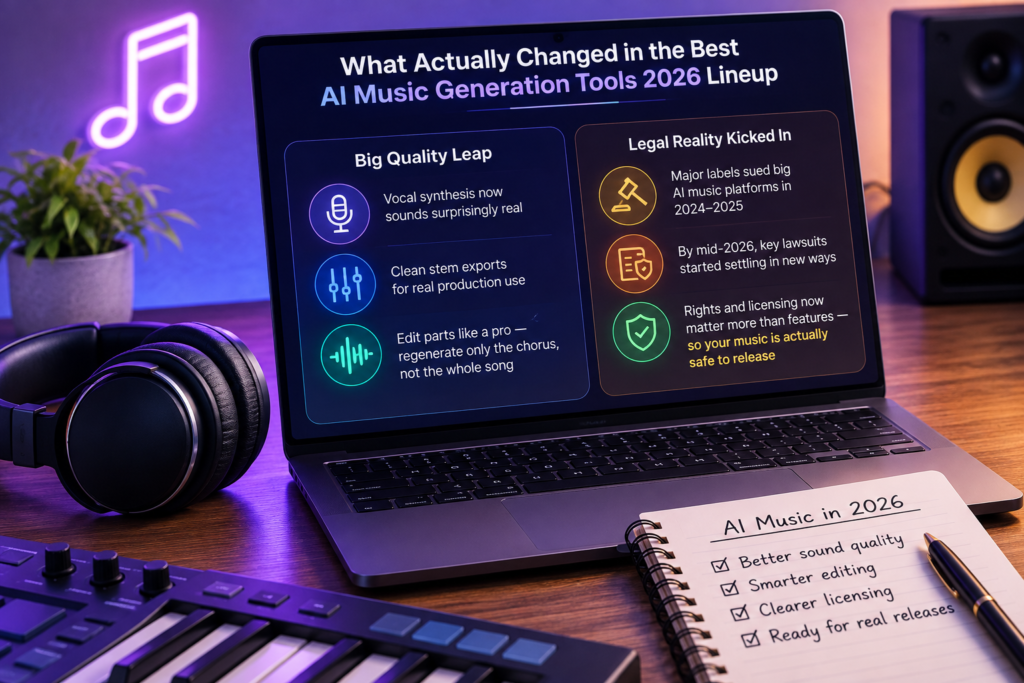
Two years ago, most of these apps spat out something that sounded like elevator music with a fever. That’s not really true anymore. Vocal synthesis got weirdly convincing, stems export cleanly, and a few platforms now let you regenerate just the chorus without wrecking the verse you already loved.
The bigger shift isn’t technical, though. It’s legal. Major labels spent 2024 and 2025 suing the biggest names in this space, and by mid-2026 those lawsuits started settling in very different ways. That matters more than any feature list, because it decides whether the song you make today is something you can actually release tomorrow.
Suno vs Udio: The Two Names Everyone’s Fighting Over
Suno is still my go-to when I want a full track — verse, chorus, bridge, vocals — built from a single paragraph of description. Give it a mood, a genre, maybe a line of lyrics, and it’ll hand you something surprisingly listenable within a minute or two.
Udio used to work almost identically. Not anymore. Following its settlement with a major label, the platform pivoted hard toward being a remix-and-fan-engagement space built on licensed catalog, rather than a click-and-download song factory. If you’re after quick original tracks with vocals, that pivot makes Suno the more straightforward pick right now.
Neither app is flawless. Suno occasionally mangles lyrics into mush during longer sections, and both platforms still restrict what you can do commercially depending on your subscription tier.
Beyond the Big Two: Tools Worth Your Attention
Soundraw for Background and Ad Music
Soundraw doesn’t try to write you a pop single. It builds instrumental beds — the kind you’d drop under a YouTube video or a product ad — and lets you adjust length, energy, and instrumentation with sliders instead of prompts. For creators who need ten tracks by Thursday, this is faster than fighting with text prompts.
Boomy for People Who’ve Never Touched a DAW
Boomy strips everything down to a few clicks: pick a style, generate, tweak, done. It’s not going to win awards for originality, but if you’re a total beginner who just wants something to publish under your name, it removes every barrier in the way.
Beatoven.ai for Scoring to a Timeline
This one’s built around emotion and pacing rather than genre. Upload a rough cut of your video, and Beatoven tries to shape music around the edit itself — building tension where the cuts speed up, easing off where things slow down. Corporate video teams and podcasters seem to get the most mileage out of it.
AIVA for Cinematic and Orchestral Work
AIVA leans hard into orchestral and film-score territory. If you need something that sounds like it belongs in a trailer or a game cutscene, this is the platform that actually understands orchestration, not just “add strings.”
Mubert for API-Driven, Endless Streams
Mubert feels less like a songwriting tool and more like infrastructure. Developers plug it into apps and platforms that need a constant, adaptive stream of background music — think fitness apps or ambient radio — rather than a single finished track.
MusicGPT for Full Vocal Tracks on a Budget
MusicGPT competes directly with Suno on full-song generation with vocals, and it throws in more granular editing controls than you’d expect at its price point. It won’t dethrone the bigger names, but it’s a solid second opinion when Suno gives you something flat.
Best AI Music Generation Tools 2026 Compared at a Glance
| Tool | Best For | Vocals | Pricing Model | Commercial Use |
| Suno | Full songs from a prompt | Yes | Free tier + paid plans | Paid tiers, download caps apply |
| Udio | Remixing licensed catalog | Yes | Free tier + paid plans | Walled garden, limited export |
| Soundraw | Background and ad music | No | Free tier + paid plans | Yes, on subscription |
| Boomy | Beginner-friendly songs | Optional | Free tier + paid plans | Yes, via distribution add-on |
| Beatoven.ai | Scoring to a video edit | No | Free tier + paid plans | Yes, royalty-free |
| AIVA | Orchestral and film scores | No | Free tier + paid plans | Yes, on paid plan |
| Mubert | API-based music streams | No | Usage-based pricing | Yes, licensed for commercial |
| MusicGPT | Budget vocal tracks | Yes | Free tier + paid plans | Yes, on paid plan |
Pricing shifts often enough in this space that I’d rather send you to check current rates than print numbers that’ll be stale in a month.
Can You Actually Sell What You Generate? The Licensing Mess
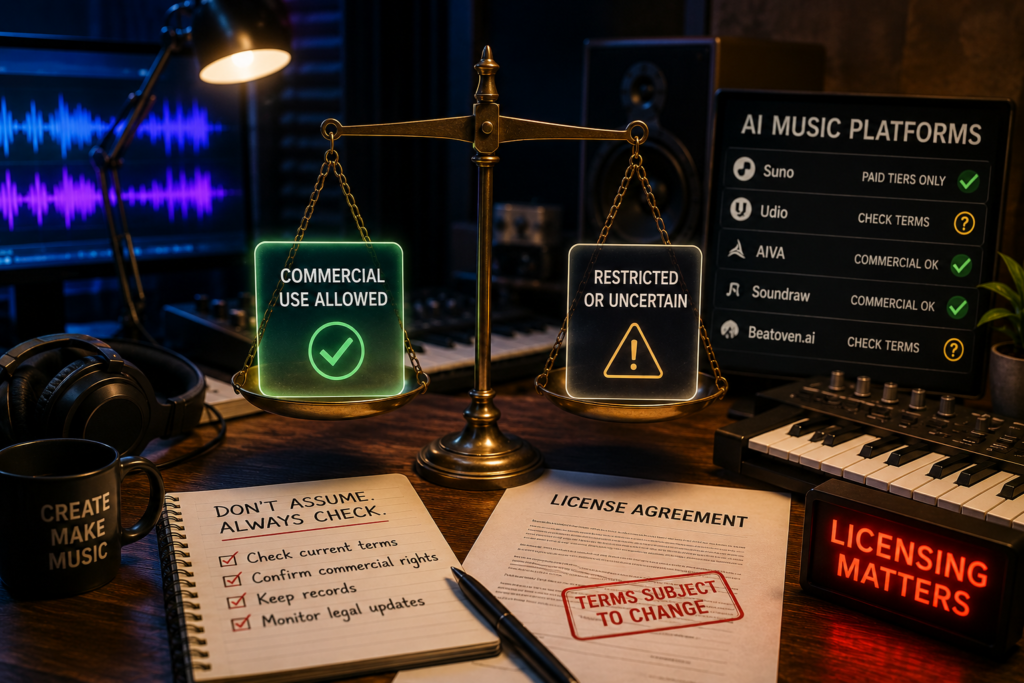
Here’s where things get genuinely messy, and I don’t say that lightly. Whether you can commercially release an AI-generated track depends entirely on which platform you used, which subscription tier you’re on, and which lawsuits have settled by the time you’re reading this.
The recent Suno Warner settlement is a good example of how fast the ground shifts. Warner Music dropped its infringement case in exchange for Suno agreeing to retire its older, unlicensed models and restrict downloads to paying accounts. Universal and Sony haven’t settled the same way, so the legal footing under some models is still shaky.
My honest take? Treat every platform’s terms of service as something that could change without warning. If a release actually matters to your income, don’t assume yesterday’s rules still apply today.
Copyright, Ownership, and Why “I Made It” Isn’t Enough
Typing a prompt and hitting generate does not, on its own, make you the copyright owner of what comes out. That surprises a lot of people I’ve talked to, and it’s worth repeating because it changes how you should use these tools.
Under official copyright office guidance, protection only extends to the parts of a work that carry meaningful human creativity — your rewritten lyrics, your arrangement choices, your edits to the AI’s raw output. The purely machine-generated portions sit outside copyright protection entirely, which means anyone could technically reuse them.
Practically, this means the safest move is to treat AI output as a first draft, not a finished product. Rewrite the hook. Change the arrangement. Add your own vocal take if you can. The more of your own fingerprints end up on the final file, the stronger your claim to it.
Genres Where These Tools Still Struggle
Give any of these platforms a straightforward pop, lo-fi, or cinematic prompt, and they’ll usually deliver something solid. Push toward genres with irregular timing or heavy improvisation, though, and the cracks show fast.
Jazz is the clearest example. Ask for a swing feel with real syncopation and most generators default to something stiff, more “jazz-flavored elevator music” than an actual quintet trading phrases. Free-form or experimental genres suffer the same problem — the models were trained on patterns, and true improvisation resists pattern-matching by definition.
Heavy, technical genres like progressive metal or complex polyrhythmic percussion also tend to come out sounding flattened, like the tool smoothed away exactly the parts that made the genre interesting in the first place. If your project leans into any of that, expect to use AI output as a sketch and finish the details yourself, rather than a final master.
Tips for Getting Better Output From Any AI Music Generator
A vague prompt gets you a vague song, every single time. “Upbeat pop song” will get you something generic; “upbeat synth-pop with a driving four-on-the-floor beat, female vocals, and a key change in the final chorus” gets you something closer to what’s actually in your head.
Reference known sonic textures instead of vague adjectives. Saying “warm analog synths, like a late-’80s soundtrack” gives the model something concrete to latch onto, where “nostalgic and cool” doesn’t give it much to work with at all.
Regenerate sections instead of whole tracks whenever a platform allows it. Most disappointing results I’ve run into weren’t bad prompts — they were good prompts where one section landed wrong, and regenerating the entire song threw away the parts that were already working.
Lastly, don’t skip the free tier before committing to a subscription. Every platform on this list markets itself a little differently than it actually performs, and five minutes of hands-on testing tells you more than any comparison article, including this one.
How I’d Actually Pick One
If you want full songs with vocals and don’t mind paying eventually, start with Suno. If your work is mostly background music for video, Soundraw or Beatoven.ai will save you more time than a general-purpose generator ever will.
Musicians scoring something cinematic should skip the pop-song tools entirely and go straight to AIVA — it’s simply built for that register. Developers embedding music into an app or product experience should look at Mubert before anything else on this list.
None of these tools are magic. They’re closer to a very fast, very tireless collaborator who occasionally needs editing. Treat them that way and you’ll get better results than anyone chasing a single “click and done” answer.
Frequently Asked Questions
Are AI music generation tools free to use in 2026?
Most offer a limited free tier — usually a handful of generations per month with restrictions on commercial use. Full features, higher-quality exports, and licensing rights almost always sit behind a paid subscription.
Can I legally sell songs made with Suno or Udio?
It depends on your subscription tier and which model generated the track. Paid tiers generally allow commercial use with limits, while free-tier output is typically restricted from monetized release entirely.
Which AI music tool sounds the most human?
Suno and MusicGPT currently lead on vocal realism for full songs, while AIVA sounds most convincing for instrumental, orchestral work. Ear fatigue sets in differently for everyone, so testing free tiers yourself is worth it.
Do I need any musical training to use these tools?
No. Platforms like Boomy and Soundraw are built specifically for people with zero production background. Understanding basic music terms like tempo or mood still helps you write better prompts, though.
What’s the difference between Suno and Udio now?
Suno still generates original songs from prompts under a licensed model. Udio shifted toward remixing pre-licensed catalog music inside a closed platform, so the two no longer serve quite the same purpose.
Can AI-generated music get copyright protection?
Only the human-authored portions can. Purely machine-generated sections, produced with no meaningful creative input from you, currently fall outside copyright protection under current U.S. guidance, and that stance isn’t likely to shift soon.
Which tool is best for YouTube background music?
Soundraw and Beatoven.ai are built for exactly this — instrumental tracks sized and shaped for video content, with licensing terms designed for creators who need to avoid copyright strikes.
Will AI music tools replace human musicians?
Unlikely to replace them outright, though they’re already replacing some session work and stock-music budgets. Most working musicians I know use these tools as sketch pads, not as a substitute for actual musicianship.
Final Thoughts
Picking the right AI music generator for your project isn’t really about finding the single “best” app — it’s about matching the tool to what you’re actually trying to make. A marketer cutting ad spots needs something completely different from a songwriter chasing a finished single, and pretending one platform serves both jobs equally well would be dishonest.
What surprised me most through months of testing wasn’t the sound quality, though that’s improved a lot. It was how fast the legal ground has shifted underneath these platforms. A track you generated in early 2025 under one set of terms might not be commercially usable today, and a model that felt cutting-edge six months ago might already be retired in favor of a licensed replacement. That instability is annoying, but it’s also the honest state of this industry right now.
My practical advice, after all the testing: don’t marry yourself to one platform. Keep a free-tier account on two or three tools so you can compare output for a given project, and always read the current commercial-use terms before you publish anything tied to income. Treat AI-generated output as raw material you shape further, not a finished product straight out of the box — partly for legal safety, partly because your edits usually make the track better anyway.
If you’re just starting out, Suno or Boomy will get you making something listenable within minutes, no experience required. If your work leans toward video content, Soundraw and Beatoven.ai will save you real time over general-purpose generators. And if you’re scoring something cinematic, AIVA is worth the learning curve. None of these tools are going away quietly, and the ones that survive the current wave of lawsuits and licensing deals are likely to be the ones worth learning properly. For now, test before you commit, read the fine print, and let your own creative decisions carry the parts that actually matter.

An IT career coach with 7 years of experience helping beginners map out certification paths that actually lead to interviews, not just another resume line. He’s guided dozens of career-switchers through their first AWS or CompTIA exam and writes for itechnova.io, covering IT certifications, cybersecurity, and the software tools people actually need to know.