


I’ll be upfront about something — three years ago I thought “efficiency tracking using AI tools” was just consultant-speak for spreadsheets with a fancier logo slapped on them. Turns out I was wrong, and it took a genuinely painful quarter of missed deadlines to convince me otherwise.
Here’s the thing. Once you actually sit inside a team that’s drowning — too many tools, too many status meetings, nobody quite sure where the hours go — efficiency tracking using AI tools stops sounding like buzzword bingo and starts looking like a survival tactic. That’s the honest version of this story, not the polished one you usually get.
What Efficiency Tracking Using AI Tools Actually Means
Strip away the marketing language and you’re left with something fairly plain: software that watches how work actually happens, then tells you where it’s leaking. Not where you think it’s leaking. Where it really is.
I’ve noticed a lot of confusion between this and old-school time tracking. They’re cousins, not twins. A stopwatch app tells you someone spent four hours “in a document.” Efficiency tracking using AI tools tells you they spent forty minutes writing, ninety minutes waiting on a Slack reply, and the rest bouncing between five browser tabs. That distinction changes everything about how you fix the problem.
Why This Suddenly Matters To Everyone
Remote and hybrid work broke the old visibility model. Managers used to walk the floor and just know who was buried. That instinct doesn’t transfer to a Zoom grid.
So teams reached for something else. The compliance angle matters too — with new EU AI Act provisions pushing workplace AI toward transparency and disclosure, businesses can’t just bolt on a monitoring tool and hope nobody asks questions. They need something defensible, something explainable to an employee who asks “wait, what exactly are you measuring about me?”
How It Works Behind The Scenes
Most platforms doing efficiency tracking using AI tools lean on the same rough skeleton: activity logging, pattern recognition, then a layer of machine learning that tags what’s productive versus what isn’t. The AI part isn’t magic — it’s mostly pattern-matching against thousands of prior sessions, refined over time as your team’s habits get folded into the model.
What surprised me the first time I dug into one of these systems was how much gets inferred rather than directly observed. The tool doesn’t always know a meeting was wasteful. It guesses, based on calendar density, follow-up message volume, and whether tasks actually moved afterward. Sometimes it guesses wrong. Worth remembering before you treat any dashboard as gospel.
Where The Data Actually Comes From
App and browser activity — which programs stay open, for how long, and how often people switch between them.
Calendar load — meeting density versus actual deep-work blocks, a metric that’s honestly more revealing than most people expect.
Output signals — commits pushed, tickets closed, documents finalized, depending on what the platform integrates with.
Metrics Worth Actually Watching
Not every number a dashboard spits out deserves your attention. Some are noise dressed up as insight.
The ones I keep coming back to: deep work percentage, context-switch frequency, and meeting-to-output ratio. Together they paint a picture that raw “hours logged” never could. I’d argue that last one — meeting load against real deliverables — is the single most uncomfortable metric most leadership teams have never bothered to look at.
Cost tracking matters here too. Gartner’s roundup of workforce monitoring platforms notes that these tools now function as a system of record spanning people, processes, and AI agents together, not just individual employees anymore — which tells you the category has quietly expanded past its original pitch. Insightful’s platform, for instance, captures behavioral data across people, tools and AI agents to help leaders measure impact and optimize productivity.
Where Most Teams Get This Wrong
Honestly? They install the tool and skip the conversation. Big mistake. I’ve watched morale tank within a week because someone rolled out monitoring software without explaining the “why” first.
The second mistake is treating every metric as equally serious. A dip in one week’s deep-work score might just mean someone was fixing a production fire. Context matters more than the chart does, every single time.
The Tools I Keep Coming Back To
For general team visibility, there’s a decent breakdown of options worth reading if you’re comparing platforms — I’d point you toward this rundown of AI productivity tools before committing to anything long-term. It’s not exhaustive, but it covers the practical differences that actually matter day to day.
If you’re evaluating this at a company-wide level rather than just team-by-team, it’s worth pairing that research with a broader look at AI tools for business so you’re not solving a productivity problem with the wrong category of software entirely. That happens more than people admit.
Dashboards, Visibility, And Making Sense Of Numbers
A dashboard full of charts means nothing if nobody reads it right. This is where things quietly fall apart for a lot of teams — data pours in, nobody’s trained to interpret it, and the whole initiative fizzles into a monthly PDF nobody opens.
Good visualization changes that. If your platform’s native charts feel clunky, there’s a solid comparison of AI data visualization tools worth checking, and for anyone leaning more toward business intelligence than raw activity tracking, this list of AI BI tools covers ground the productivity-specific platforms usually skip.
Product And Development Teams Need A Different Lens
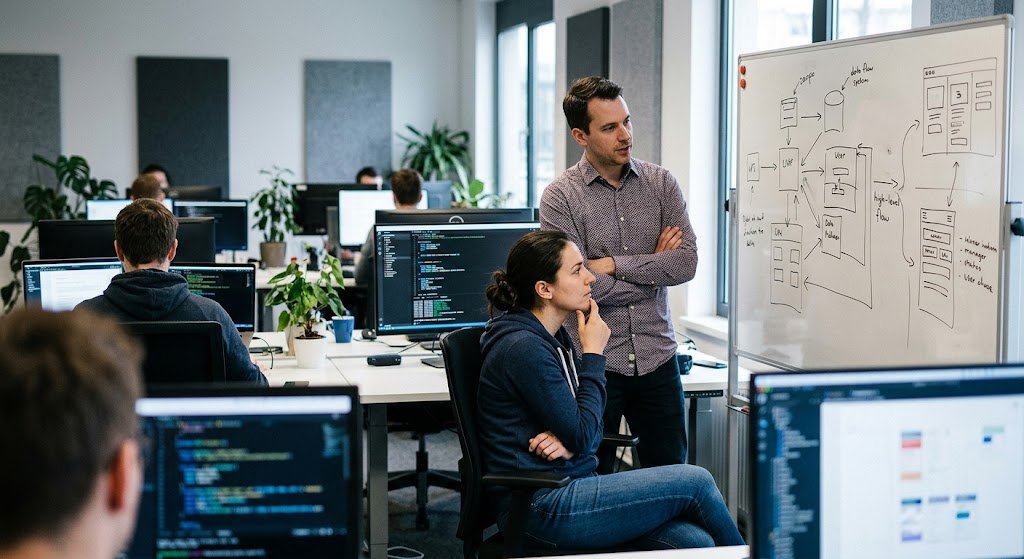
Engineering and product work don’t fit neatly into “hours active” metrics. A developer staring at a whiteboard for twenty minutes might be doing the most valuable thing they’ll do all day.
That’s why efficiency tracking using AI tools looks different once you cross into technical teams — commit frequency, cycle time, review turnaround. If you manage product folks specifically, this piece on AI tools for product managers digs into the workflow side better than a generic productivity guide ever could, and staying current on developer tools news helps you spot which integrations are actually worth adopting versus which ones are just noise this quarter.
Automation Changes The Equation Entirely
Here’s something nobody warns you about: once you start tracking efficiency, you’ll notice the same three tasks eating everyone’s time. That’s usually your cue to automate, not just monitor.
Teams that combine tracking with automation tend to see the real gains — not from watching people work harder, but from removing the repetitive junk entirely. There’s a good example of that layered approach in this piece on Droven.io’s automation tools, which shows what happens when tracking data actually feeds back into workflow redesign instead of just sitting in a report.
Privacy, Trust, And The Line You Shouldn’t Cross

I’ll say this plainly: monitoring done badly destroys trust faster than almost anything else a manager can do. Employees know when they’re being watched for the sake of watching, versus watched to genuinely remove friction from their day.
Modern platforms are at least trying to address this. WorkTime, for one, builds its approach around activity patterns rather than screenshots or keystroke logging, and frames its AI as something that only suggests tags for review rather than making silent judgment calls. Whether that satisfies every employee is another matter — but it’s a meaningfully different posture than the surveillance-heavy tools from a decade ago. Hubstaff’s own comparison of AI time-tracking platforms makes a similar point, noting that some tools deliberately skip capturing app and website activity altogether because their audience simply doesn’t want that layer of oversight.
Rolling This Out Without Wrecking Morale
Start small. Pilot with one team, be transparent about what’s measured, and let people see their own data before leadership does. That order matters more than people think.
I’ve found that framing the rollout around personal benefit — fewer wasted meetings, clearer focus blocks — lands far better than framing it around company metrics. Nobody gets excited about being a data point. They get excited about getting their afternoons back.
FAQs
Is efficiency tracking using AI tools the same as employee surveillance?
Not inherently, though it can tip that direction fast if deployed without transparency or employee input.
Do small teams actually need this, or just large enterprises?
Small teams often benefit more, honestly — there’s less room to absorb wasted hours when headcount is tight.
How long before efficiency tracking using AI tools shows real results?
Most teams see meaningful patterns within four to six weeks, though the first two weeks of data is usually noisy and best ignored.
Can these tools replace human judgment in performance reviews?
No, and any manager treating a dashboard as the final word is setting themselves up for a bad conversation later.
What’s the biggest mistake companies make when adopting this?
Skipping the “why” conversation with employees before turning the tool on — it’s the single fastest way to breed resentment.
Final Thoughts
So where does that leave us? Efficiency tracking using AI tools isn’t a silver bullet, and anyone selling it that way is stretching the truth a little. It’s a lens — a genuinely useful one, but only when paired with honest conversations and metrics people actually understand.
I keep steering clients toward starting small, being transparent, and treating the data as a conversation starter rather than a verdict. That’s the version of this that actually sticks around past month one.
If you’re weighing your first move here, start with the free trial most platforms offer, run it quietly on your own workflow for a week, and see what surprises you. It usually will.

An IT career coach with 7 years of experience helping beginners map out certification paths that actually lead to interviews, not just another resume line. He’s guided dozens of career-switchers through their first AWS or CompTIA exam and writes for itechnova.io, covering IT certifications, cybersecurity, and the software tools people actually need to know.