


Field service management software reviews land in my inbox constantly, usually phrased as “just tell me which one to buy.” Fair question. Annoying answer: it depends. I’ve sat in the room while a dispatcher nearly threw her headset across the office because two technicians got booked for the same 2pm slot.
I’ve also watched a plumbing company burn through two platforms in under two years before finding one that stuck. None of that shows up in the polished comparison charts floating around online. So consider this the version written by someone who’s actually watched dispatch boards melt down in real time, not someone summarizing a vendor’s press kit.
What This Category Of Software Even Covers
Strip away the buzzwords and field service platforms handle three unglamorous jobs: getting the right person to the right address, tracking what happens once they arrive, and making sure someone eventually gets paid for it.
Nobody thinks about any of this until it collapses. A missed dispatch. An invoice nobody sent. A technician standing outside a locked gate because nobody flagged the access code. Good software prevents these small disasters from becoming daily routine. Weaker software just relocates the chaos onto a nicer screen.
The Problem With Most Reviews You’ll Find
Here’s my honest complaint, said plainly: plenty of “top 10” lists online are ranked by affiliate payout, not by anything resembling actual field performance.
I’ve read glowing writeups praising a mobile app that, in practice, freezes constantly on older Android phones — which matters enormously in trades work, since half a typical fleet still runs older hardware. That’s not some minor footnote. It’s the whole ballgame for a dispatcher relying on that app daily.
If you want a less biased starting point than any single blog, Gartner’s verified field service ratings page aggregates thousands of real buyer reviews across vendors — worth a glance before trusting my opinion or anyone else’s.
Field service management software reviews worth trusting should read like they were written after a bad Monday, not a comfortable demo call. Support hold times, onboarding friction, whether gloves-on usability was ever tested in January — that’s the stuff that actually predicts satisfaction six months in.
Features Worth Fighting For (And Ones You Can Skip)
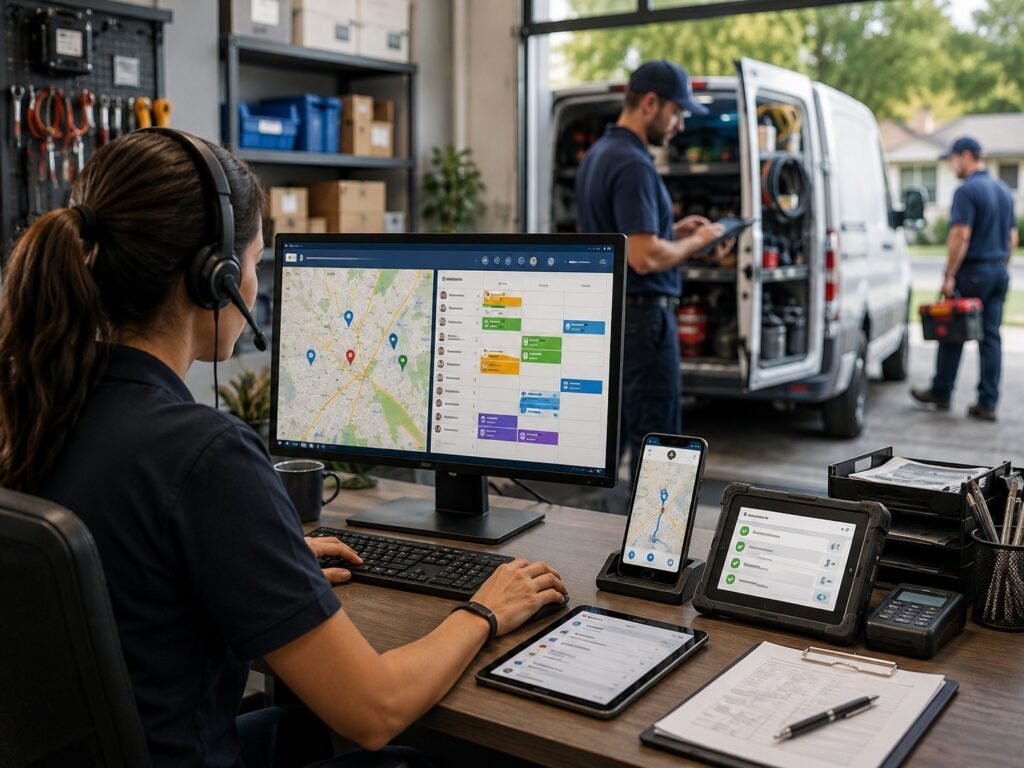
Priorities shift depending on your operation’s size, but after sitting through more demos than I’d like to admit, a rough hierarchy emerges.
| Capability | Real-World Payoff | Cost of Skipping It |
| Live GPS-based dispatch | Shorter drive windows, fewer double-bookings | Severe — scheduling turns chaotic fast |
| Works without signal | Basements, rural routes, dead zones | Severe — job notes vanish mid-visit |
| Flexible quoting and billing | Faster payment cycles, fewer disputes | Moderate — manual paperwork returns |
| Parts and stock tracking | Ends truck-stock guesswork | Moderate, worse for HVAC and plumbing |
| Customer-facing booking | Fewer inbound phone calls | Mild — helpful, rarely a dealbreaker |
| Accounting/CRM syncing | Cuts duplicate data entry | Severe once a team scales past a few trucks |
That table is a rough sketch, nothing more. A three-truck landscaping crew and a forty-truck HVAC company will weigh these completely differently, and any writeup pretending otherwise isn’t paying attention.
One Small Rant About Mobile Apps Specifically
Desktop dashboards always look polished during sales pitches. Almost nobody demos the mobile app on a cracked screen with two signal bars out on a rural route, yet that’s precisely where most platforms quietly fall apart. If I had to bet money on where a deployment goes wrong, mobile reliability would be my first guess every time.
Shop-based operations lean on a different mobile pattern altogether — techs are moving between bays, not trucks between addresses. Worth a look at this shop management comparison rundown if that’s closer to how your team actually works.
Industry Quirks That Generic Guides Tend to Ignore

Field service isn’t a single industry wearing one uniform — it’s dozens of very different jobs sharing one buzzword. HVAC scheduling logic looks nothing like pest control routing. Home health carries compliance baggage that’ll make a spreadsheet cry.
Auto repair shops specifically get folded into broad field service guides that don’t fit their actual workflow — parts ordering, bay utilization, technician clock-time. For that world, this auto shop review roundup is a far more useful comparison than anything written for HVAC or plumbing crews.
Home health agencies operate in an entirely separate universe too — EVV compliance, caregiver credentialing, visit verification requirements that rarely surface in trades-focused articles.
Where Pricing Conversations Usually Go Wrong
Pricing pages lie constantly, mostly by leaving things out. “$29 per user monthly” sounds tidy until dispatch, routing, and inventory modules all turn out to cost extra — and suddenly the real number triples.
Push vendors for a fully-loaded quote covering your exact headcount, in writing, before signing anything. I’ve watched businesses commit to twelve-month contracts based on a stripped-down demo price that bore no resemblance to their eventual bill.
Rough numbers, for context: smaller crews (under ten technicians) typically land somewhere around 200–600 monthly, all modules included. Mid-size operations often climb toward 1,000–3,000 once integrations and priority support get bundled in.
Compliance-heavy fields skew this math further. Home health agencies, for instance, often pay a premium purely for EVV and credentialing modules — worth checking this home health scheduling tools breakdown if that pricing gap is news to you.
Spotting a Genuinely Useful Review Versus Ad Copy
A handful of tells I personally use to separate honest writeups from dressed-up marketing:
- Does it name specific weaknesses, or just vague “room to grow” language?
- Are the screenshots current, or clearly pulled from an outdated interface?
- Does actual pricing get mentioned, or does the article dodge it entirely?
- Is customer support responsiveness addressed anywhere?
- Does it distinguish between industries, or lump every trade together?
Miss most of those and you’re reading marketing dressed up as research. For a second opinion beyond any single writer, Capterra’s category listing lets you compare top FSM vendors filtered by team size and trade, which cuts through more noise than reading a dozen blog posts back to back.
A Quick Note Nobody Mentions About Switching
Migrating years of job history, customer records, and technician schedules between platforms is genuinely painful — plan for weeks, not days, and brace for at least one data-migration hiccup no matter how confident the sales rep sounded during the pitch.
Parts and warehouse records tend to survive migrations the worst, oddly enough. If stock tracking is central to your operation, it’s worth reading this inventory tracking software picks guide before you commit to a switch, not after.
Frequently Asked Questions
Can field service management software reviews from major review sites actually be trusted?
Somewhat. They’re a decent starting benchmark, though several rank partly by affiliate revenue. Cross-check at least two independent sources plus real user forums before deciding anything final.
What’s the typical monthly cost for field service management software?
Smaller teams generally pay 200–600 monthly, all-in. Larger operations running dispatch, inventory, and CRM modules together can climb past 1,000–3,000 depending on headcount and integrations.
Is switching field service platforms without losing historical records possible?
Usually, yes — but expect friction along the way. Most vendors offer migration support, though certain fields like old notes or attachments rarely transfer cleanly without manual cleanup afterward.
Does this type of software still function without an internet connection?
Entirely dependent on the vendor. Offline handling varies enormously — some sync flawlessly once reconnected, others quietly lose unsaved job data. Test this specifically during any trial period.
What mistake do businesses make most often when picking one of these tools?
Choosing purely on advertised price, then discovering essential modules cost extra later. Always request a complete, fully-loaded quote matching your actual team size before signing.
Does field service management software make sense for a tiny two- or three-person crew?
Frequently, yes — scheduling mix-ups and missed invoices tend to cost more than a modest monthly subscription. Just steer clear of enterprise-tier platforms built for much larger fleets.
How long does a typical rollout take from signing to going live?
Small teams: roughly one to two weeks. Larger, multi-department rollouts often stretch four to eight weeks, particularly with custom integrations and historical data migration involved.
Is industry-specific software necessary, or does general-purpose FSM software work fine?
Depends heavily on the trade involved. Home health, auto repair, and general contracting all carry specialized compliance or workflow demands that generic platforms sometimes handle poorly.
Closing Thoughts, Written With Chai Going Cold Beside Me
If you’ve made it this far, you probably already sense I’m not about to hand over one tidy “best pick” wrapped in a bow — because honestly, there isn’t one. The right platform hinges entirely on crew size, industry quirks, and how much patience your team has for a bumpy learning curve during those first few weeks.
What I will say, after watching this exact decision play out across dozens of businesses, is that no review matters nearly as much as an actual trial run does. Every platform shines during a sales demo. The real test arrives when a dispatcher is fielding three overlapping emergency calls on a Friday afternoon and the software either helps her through it or gets in the way.
Spend genuine time inside a free trial before committing to anything. Bring your messiest, most chaotic week into that test window instead of a clean, scripted scenario — that’s the only way you’ll discover whether offline mode actually holds up, whether invoices sync correctly, and whether technicians tolerate the mobile app or quietly despise it within days.
Talk directly to the technicians too, not only the office staff running the trial. They’re the ones who’ll be living inside that mobile app every single day, and their honest frustration — or relief — tells you more than any polished review possibly could.
Don’t rush past the pricing conversation either. Get the fully-loaded number in writing, ask clearly about contract length, and clarify cancellation terms upfront. Vendors rarely volunteer that information unprompted, and a genuinely good one won’t hesitate when you push for clarity.
At the end of the day, field service management software reviews — this one included — should function as a starting point, never a final verdict. Use them to trim your options down to three or four serious contenders, then let an actual trial with real jobs make the closing call. Across every industry and team size I’ve worked with, that’s still the only approach that’s held up consistently.

An IT career coach with 7 years of experience helping beginners map out certification paths that actually lead to interviews, not just another resume line. He’s guided dozens of career-switchers through their first AWS or CompTIA exam and writes for itechnova.io, covering IT certifications, cybersecurity, and the software tools people actually need to know.
1 thought on “Field Service Management Software Reviews: Real Honest Take”