


Pour the chai first, because this isn’t going to read like a features chart with legs. Every time someone corners me and asks which platform actually deserves their money, my brain jumps straight past the pretty dashboards and lands on one question: does the data survive contact with a client who’s already annoyed?
That’s the whole game behind decent SEO reporting software reviews — not screenshots, not sales decks, just whether the numbers hold up when someone’s questioning them across a table. Most write-ups skip that part entirely. I’ve tested and written up business software across a dozen categories at this point, so this one leans on scars rather than press releases.
What “SEO Reporting Software” Even Means Once You Strip the Buzzwords
My first twelve months in this line of work, I assumed “reporting software” was just fancy talk for a dashboard with graphs on it. Wrong, and embarrassingly so. Real tools chase down ranking shifts, traffic swings, backlink counts, and site-health flags all at once — then somehow compress that mess into something a client can absorb in under two minutes without squinting.
Skip that compression step and even a gorgeous interface turns into noise nobody opens twice. Some platforms handle it by auto-mailing polished PDFs every Monday morning, hands-off entirely. Others hand you the pieces and expect you to arrange them yourself, more like assembling furniture than reading a report. Neither camp is objectively smarter — a lone consultant juggling a dozen accounts wants speed, while an in-house team answering to one boss who already trusts them can afford something slower and more custom.
I ran into this exact split while putting together my day-to-day shop tools roundup too — the automated-versus-build-it-yourself question isn’t unique to SEO, it just wears different clothes depending on the industry.
Why So Many SEO Reporting Software Reviews Miss the Point Entirely

Feature-count scoring is everywhere in this niche, and it’s a lazy yardstick. Add more graphs, tack on more integrations, throw in extra colors — congratulations, higher score, apparently. Except clarity was supposed to be the whole point, and I’ve watched clients mentally check out the moment a dashboard hits its sixth tab.
The tools worth keeping earn that spot by softening the uncomfortable conversations, not avoiding them. Rankings slip in a given month — does the software actually explain the drop, or just flash a red arrow and leave you improvising an excuse on the spot? That gap between “shows data” and “explains data” rarely makes it onto a pricing page.
Solid reports tend to cluster around a handful of sections instead of dumping raw metrics all at once — an executive summary, traffic movement, keyword shifts, conversions, backlink health — and Semrush actually breaks this structure down well in its guide to SEO reporting. Hang onto that framework as you read further; it’s roughly the filter I run every platform through before trusting anything it spits out.
The Tools I Actually Put Through Their Paces
Six platforms kept resurfacing whenever agencies compared notes with me, so those are the ones covered in these SEO reporting software reviews — real testing, not another sponsored roundup dressed up as objective. The table below gives the fast version; the breakdowns after go deeper into where each one earns its keep and where it stumbles badly.
| Tool | Best For | Reporting Style | Learning Curve |
| Semrush | All-in-one agencies | Automated PDF + custom builder | Moderate |
| Ahrefs | Backlink-heavy audits | Manual export, cleaner data | Steep at first |
| SE Ranking | Budget-conscious teams | White-label, scheduled | Gentle |
| AgencyAnalytics | Client-facing dashboards | Live dashboard links | Gentle |
| Looker Studio (Google) | Free, flexible builds | Fully custom | Steep, then rewarding |
| DashThis | Non-technical marketers | Drag-and-drop | Very gentle |
Ranking these best-to-worst would be a disservice, honestly — the right pick hinges entirely on who’s actually reading the report and how much patience they’ve got left for numbers by the time it lands in their inbox.
Semrush: The One Everyone Mentions First
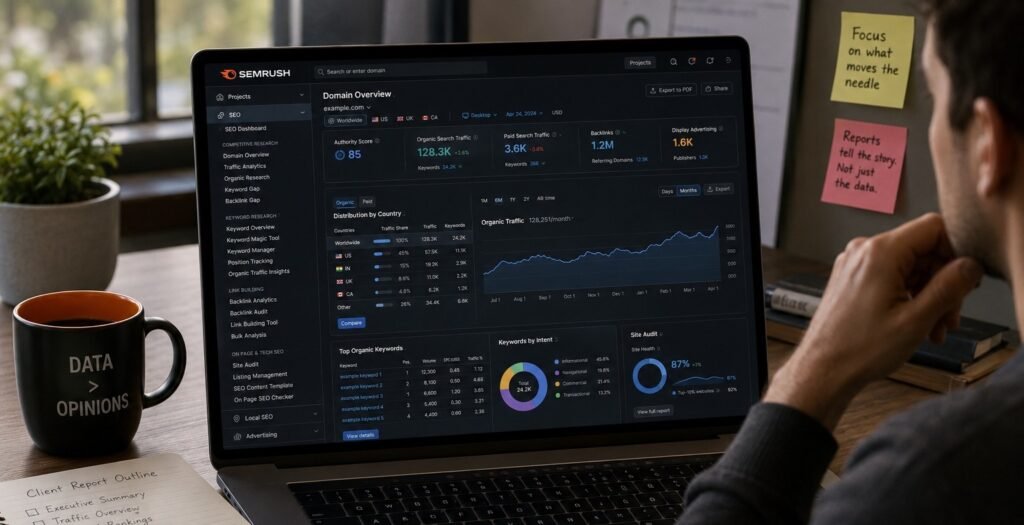
Ask ten agencies which tool they trust and Semrush shows up in at least seven answers. Makes sense — keyword tracking, site audits, and competitor snapshots all live under one login, cutting down the tab-hopping considerably. Reports can go out as PDFs, slide decks, or fully automated dashboards, whichever matches how much hand-holding you’re in the mood for.
My real complaint sits with the onboarding. Everything gets thrown at you the moment you log in, no gentle ramp. Stick around two weeks and the fog lifts, but that opening session feels closer to walking into an unlabeled control room than a software trial.
Ahrefs: Less Polish, More Trustworthy Numbers
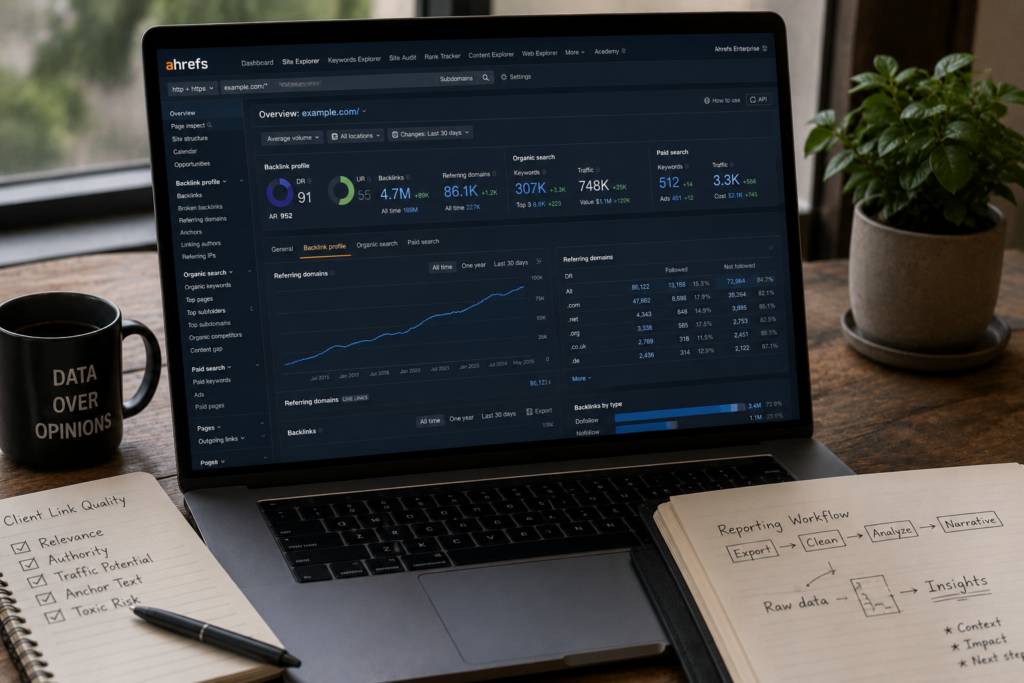
Nobody’s calling Ahrefs pretty, and that’s fine by me. Backlink and traffic estimates here have earned trust from consultants I respect, even the ones who’ve bounced through flashier competitors first. Reporting stays manual by default — expect CSV exports and your own narrative-building rather than a one-click “generate” button doing the storytelling for you.
For client bases obsessed with link quality over vanity numbers, the extra manual labor pays for itself.
SE Ranking: Quietly Excellent for Smaller Budgets

I nearly wrote SE Ranking off during round one, guessing a lower price meant corners cut somewhere. That guess was wrong. White-label reporting holds up genuinely well, and getting automated sends scheduled took roughly ten minutes the first time through, no manual required.
Where it buckles is enterprise scale — feed it a site with thousands of pages and the crawler visibly slows down.
AgencyAnalytics: Built for Client Eyes, Not Just Yours
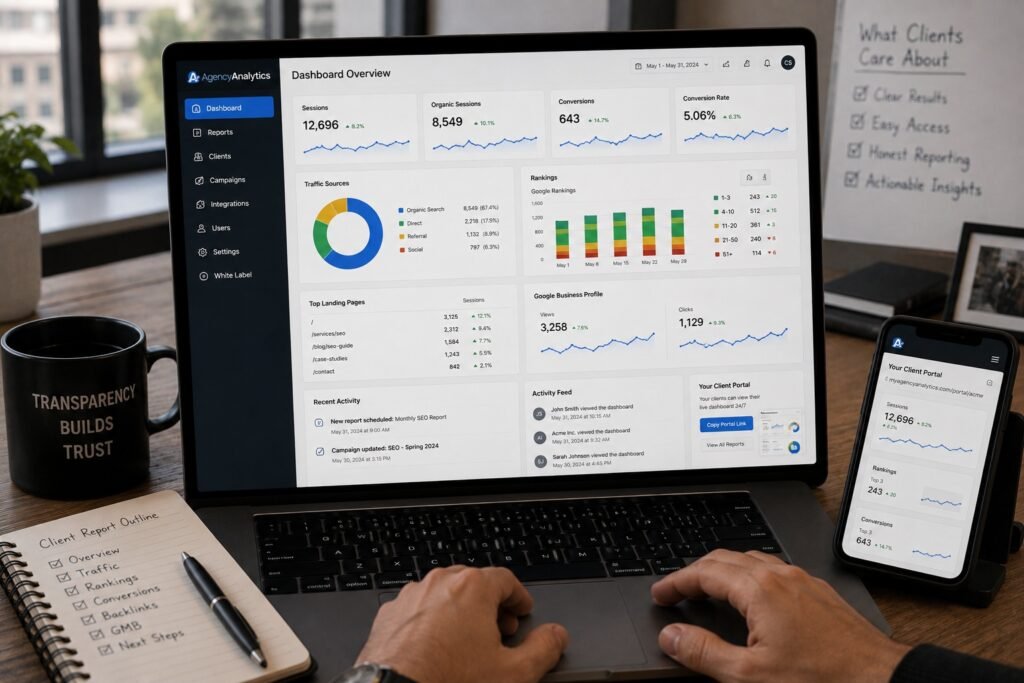
This one assumes from the start that someone outside your team is going to be staring at the report, and it’s designed around that assumption. Live dashboard links let clients check numbers whenever curiosity strikes rather than waiting for a monthly PDF to land. Some agencies find that transparency refreshing; others find it terrifying, since it hands away narrative control — figure out honestly which camp you’re in before subscribing.
Google Looker Studio: Free, Powerful, Occasionally Maddening
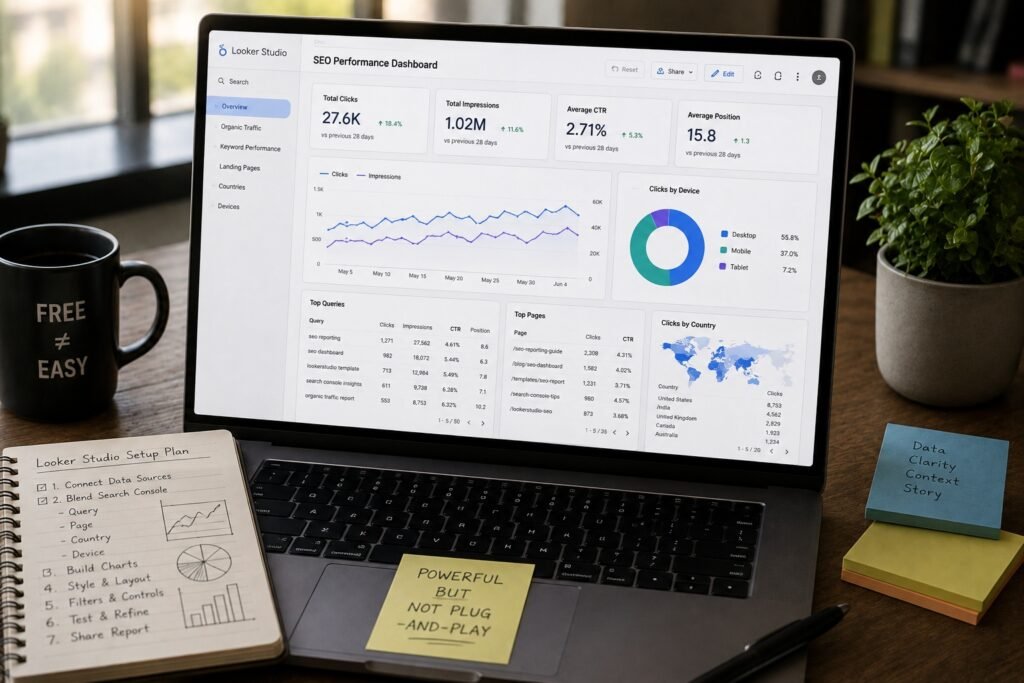
Calling it “free” undersells the setup hours you’ll sink in first. Looker Studio pulls from nearly any source you throw at it, including the search performance data already sitting in your Search Console property — filtering by query, page, country, and device becomes routine after a handful of tries. Getting to something presentable from a blank canvas, though, takes genuine effort. Templates floating around online can shortcut some of that, though most need heavy reshaping before a client would tolerate seeing them.
DashThis: The Simplest Option on This List
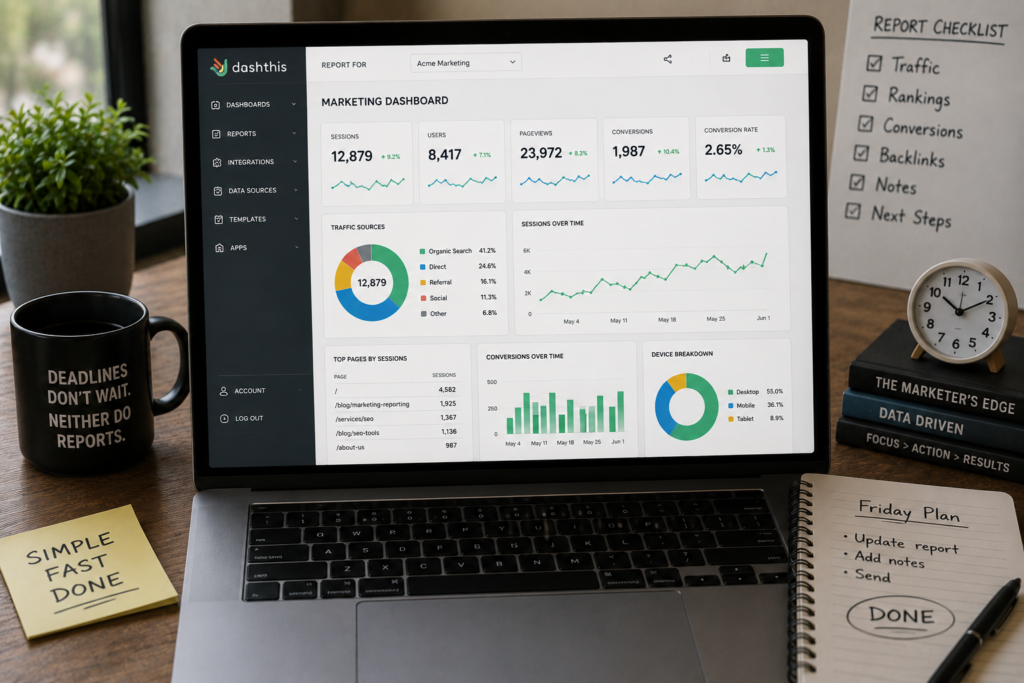
Zero frills here, just widgets you drag into position and call it done. A data analyst won’t be impressed, but for a marketer racing a Friday deadline, DashThis clears the path faster than every other tool on this list.
Reading Between the Numbers: What Reports Actually Need to Show
Charts alone mean nothing without a tie back to business outcomes. Over the years I’ve boiled my must-have list down to five things, and most SEO reporting software reviews floating around barely mention half of them:
- Organic traffic trend, month over month, not a single frozen snapshot
- Keyword movement tied to revenue-driving terms, not vanity rankings nobody bills for
- Conversion data layered against traffic, so growth actually means something
- Technical health flags — crawl errors, broken links, sluggish pages
- Backlink quality trend, because raw counts lie more often than they tell the truth
Nail all five without forcing three separate logins into one Frankenstein spreadsheet, and a tool has earned its subscription fee in these SEO reporting software reviews. Plenty fail that test quietly.
How I Actually Test Before Trusting Any Review
People ask me this constantly, so here’s the unglamorous answer behind how I actually build my SEO reporting software reviews. Every platform gets run through the same three checks before I’ll write a word about it — no shortcuts, no exceptions made for a nice sales call.
Step one: plug in a genuinely messy client account instead of clicking through a polished demo. Demo data exists to flatter software; real accounts expose the ugly stuff fast — the stray crawl errors, the keyword lists nobody’s cleaned since 2022.
Step two: clock how long producing something client-ready actually takes, no editing afterward. Past twenty minutes for a routine monthly report, points start getting docked, regardless of how the feature list reads on paper.
Step three, the one most reviewers skip entirely: watch what happens when something breaks. A sync stalls, an integration drops silently, a report just stops updating without warning anyone. How fast support responds during that mess tells you more about a vendor than any demo call ever could.
Running every candidate through that identical gauntlet is the only reason I trust my own conclusions here at all. Skip it, and a review just becomes an echo of whatever the vendor’s marketing team already said, wearing a disguise.
Pricing Reality Check (Because Nobody Talks About This Honestly)
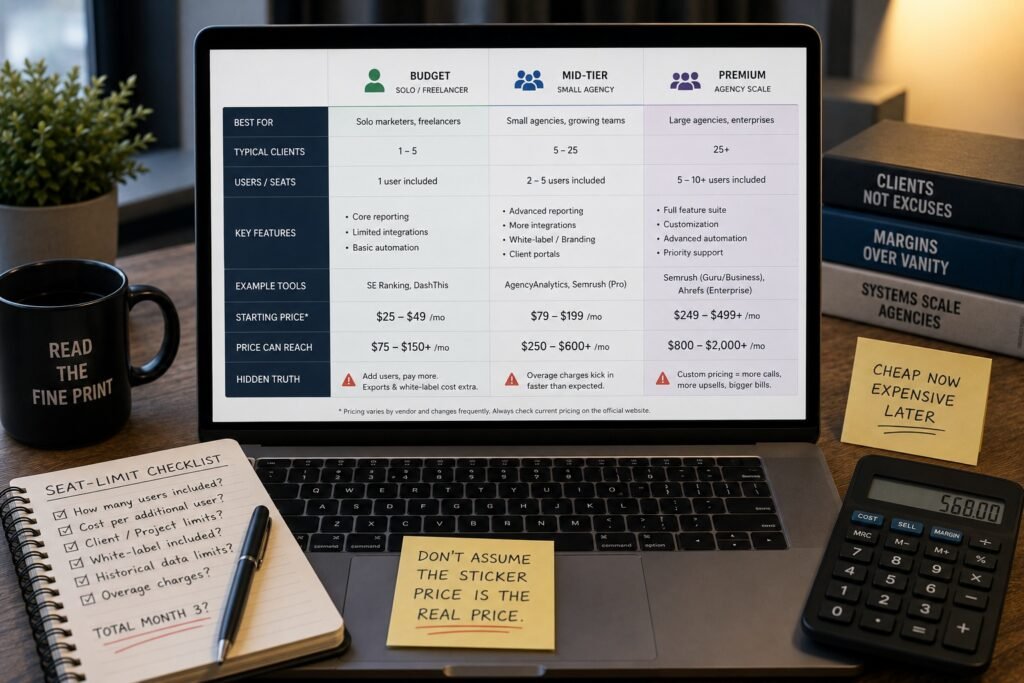
“Starting at” pricing on marketing pages tends to evaporate the second real users or client seats enter the picture. Budget-tier platforms suit solo operators comfortably enough, mid-tier options start earning their keep once five-plus client accounts pile up, and the premium suites only justify themselves at agency scale with dedicated reporting staff on payroll.
There’s a seat-limit trap buried in most of these plans that nobody flags upfront, either. A price that looks reasonable for a single user can triple the moment two account managers both need dashboard access — read that fine print before assuming the sticker price is what you’ll actually pay come month three. And always confirm current pricing straight from the vendor, since these numbers shift more than most reviewers admit; a screenshot from last year’s blog post is usually stale by now.
I flagged this same seat-limit trick in my stock tracking platforms review last year — warehouse software vendors and SEO vendors have clearly read the same pricing playbook.
Common Mistakes I Made Picking Reporting Tools (So You Don’t Have To)
Signed an annual contract once purely because a salesperson promised features that, it turned out, existed only on a roadmap somewhere — nowhere near live. Painful, and exactly the kind of thing most SEO reporting software reviews never warn you about upfront. Another round, I picked a platform simply because a competitor used it, assuming that meant it was objectively superior. It wasn’t. It just fit their internal workflow, not mine.
Teams shopping for SEO reporting software keep falling into the same trap — choosing by brand recognition instead of actually stress-testing a free trial against a real, messy client account first. Do the testing instead. Every single time, no exceptions.
Brand-loyalty picking isn’t an SEO-specific habit, either — my landlord software picks piece turned up the identical complaint from property managers who chose on name recognition and regretted it within a quarter.
Red Flags That Show Up Once You Dig Past the Marketing Page
A short list of warning signs keeps recurring across the weaker platforms I’ve tested, and honestly, most SEO reporting software reviews barely touch these because they don’t screenshot well.
Data delay is one nobody advertises — some tools sync rankings daily, others stretch it to three days, and the slower cadence never makes the pricing page. Support tickets vanishing into a queue with zero timeline is another. And watch closely for “unlimited” claims that, buried three pages into a terms-of-service document, actually mean unlimited-within-a-fair-use-policy.
None of these sink a platform on their own. Stack enough of them together, though, and you get the classic pattern — a tool that felt flawless during trial week turning genuinely frustrating by month two. Better to flag these now than discover them mid-contract with a client waiting on a report that refuses to sync.
Worth saying out loud, too: cheap doesn’t automatically mean weak, and expensive doesn’t automatically mean thorough. Budget tools have outperformed premium suites in my testing simply because a smaller team actually reads its support inbox. Price, on its own, tells you almost nothing about reliability.
Frequently Asked Questions
What separates SEO reporting software from general analytics platforms?
General analytics tracks broad site behavior, while dedicated SEO reporting tools zero in specifically on rankings, keyword movement, backlinks, and search-visibility trends over time.
Does a free option actually hold up against paid SEO reporting software?
Looker Studio, once properly configured, performs well — it just demands more setup patience and technical comfort than paid platforms built for near-instant deployment.
What reporting cadence do most agencies settle on?
Monthly remains the default rhythm for most teams, though a fresh launch or a fast-moving campaign often justifies weekly check-ins during the opening stretch.
Can a single platform manage both technical audits and polished client reports?
Semrush and SE Ranking both pull double duty here, blending crawl-based technical work with client-facing polish, though dedicated single-purpose tools sometimes output cleaner results for each task separately.
Do smaller businesses get real value from these SEO reporting software reviews? Definitely — smaller budgets simply steer the decision toward SE Ranking or DashThis rather than enterprise suites, since the underlying reporting fundamentals don’t actually change with company size.
What’s the smartest first move during a free trial?
Load in one real client’s messy data immediately rather than poking at sample accounts, since demo data hides exactly the quirks you’ll be dealing with daily.
Is paying extra for white-label reporting justified?
For agencies billing clients directly, yes — it reinforces trust and backs up the invoice; in-house teams rarely gain much from the feature at all.
How much should a single review be trusted before committing to a tool?
Treat any single write-up as a starting point, not a verdict — the strongest SEO reporting software reviews still get cross-checked against your own free-trial results before you lock into anything long-term.
(Conclusion)
Nobody’s getting a single crowned “winner” out of this piece, and that’s intentional — this decision was never going to be that simple. Scanning through a stack of SEO reporting software reviews before signing anything long-term is smart groundwork, sure, but the actual call still has to come from your own numbers, not somebody else’s opinion piece. Three honest questions decide it, really: who’s reading these reports, how much manual labor you’re willing to absorb, and what your budget genuinely allows once seat limits and add-ons get tallied up.
Solo operators juggling a handful of clients usually land on SE Ranking or DashThis without much struggle — gentle learning curve, pricing that doesn’t punish a small operation for staying small. Agencies running dozens of client relationships tend to drift toward Semrush or AgencyAnalytics instead, where automation and white-labeling claw back hours every week that manual formatting would otherwise swallow whole.
Anyone obsessed with backlink accuracy above everything else keeps circling back to Ahrefs, rough interface edges and all. And if budget is the deciding factor above all else, Looker Studio stays free, endlessly flexible, and genuinely capable once the initial setup headache fades.
Feature comparisons matter less, in the end, than actually running a candidate tool against your own live data before committing to anything. Demo dashboards are engineered to impress — that’s their entire job. Your real client accounts, with their messy keyword histories and inconsistent traffic patterns, will teach you more in one afternoon than any spec sheet ever could. Trust that hands-on test over the pitch every time it counts.
Whatever you land on, keep this in mind: software only handles collection and formatting. Interpretation still runs through you. No dashboard, however polished, replaces a person who genuinely understands what those numbers mean for the business sitting behind them — and that’s a gap automation hasn’t closed yet, thankfully.
I said something close to this in my small business accounting options write-up, and it’s held up in every category I’ve reviewed since — the software does the math, a person still has to read what the math is saying.
Torn between two finalists even after all this? Run them side by side for a full month on the same account. That head-to-head stretch, more than any spec sheet or comparison table, is what finally reveals which SEO reporting software is worth the subscription and which one only looked good during the demo. Trust the month over the marketing, every time.

An IT career coach with 7 years of experience helping beginners map out certification paths that actually lead to interviews, not just another resume line. He’s guided dozens of career-switchers through their first AWS or CompTIA exam and writes for itechnova.io, covering IT certifications, cybersecurity, and the software tools people actually need to know.