


So here’s the thing nobody tells you when you cover this stuff for a living — most “updates” are just a settings page getting reshuffled. But this year’s batch of AI writing tools updates 2026 genuinely moved something.
I’ve spent the last few weeks poking at every major platform, and a handful of changes are worth your attention. Grab your chai, because we’re going through what actually shifted, not the marketing version of it.
AI Writing Tools Updates 2026 Explained

Let’s get one thing straight before we go further. When people search for AI writing tools updates 2026, they’re usually hoping for a tidy list. Real life isn’t tidy. Some tools got smarter. Some got bloated. A few quietly dropped features people relied on.
What’s actually different this year is the shift away from “generate text” toward “understand context.” Tools now hold onto your past drafts, your tone preferences, even your Google Drive files, and use all of that to shape what they suggest next. That’s a bigger deal than any single button they added.
Writers I know are split on whether that’s good news. Convenience, sure. But handing an editor access to every file you’ve ever written? That one takes some getting used to.
Why Grammarly Actually Improved
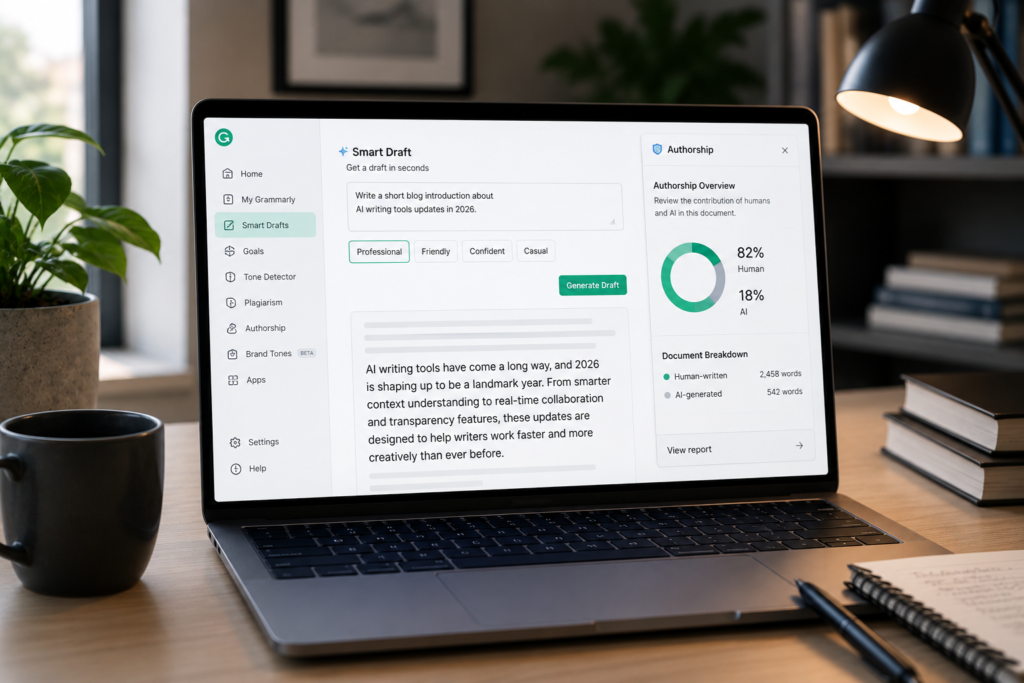
Grammarly used to be the app you forgot was running until it underlined a typo. Not anymore. The company folded itself into a broader assistant identity, and the practical upshot is a feature called Smart Drafts — you type a rough idea, pick a tone, and get a working draft instead of a blank page staring back at you.
There’s also an authorship tracking layer now, which logs how much of a piece came from you versus a tool. Schools and agencies have been asking for exactly this for two years, so it’s not surprising it landed. You can read Grammarly’s own rundown of the product changelog and updates if you want the play-by-play.
Is it worth the subscription bump? Depends. If writing pays your bills, probably yes. If you write three emails a week, stick with the free tier and don’t overthink it.
ChatGPT Writing Features Worth Noting
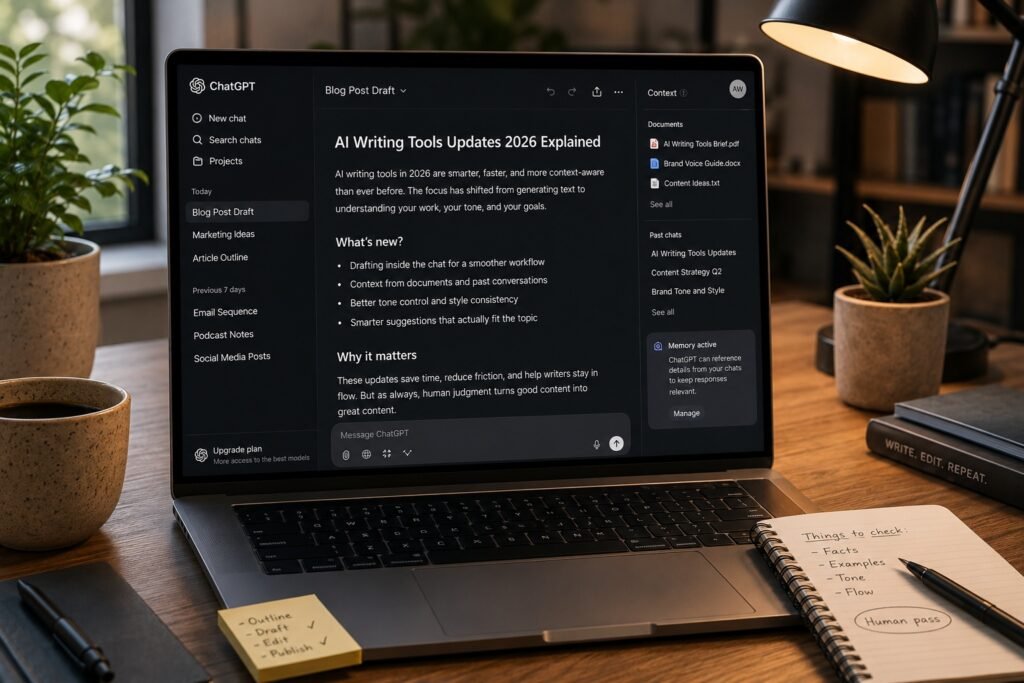
OpenAI moved fast this year, almost uncomfortably fast. Model names changed more than once, which annoyed anyone who’d built a workflow around a specific version. But two changes matter for writers specifically.
First, drafting now happens directly inside the chat window rather than a separate canvas panel — less clicking back and forth, more just… writing. Second, the assistant can pull context from documents and past conversations, so a long-running project doesn’t require re-explaining itself every session.
If you want the unfiltered list of what shipped and when, OpenAI keeps a running product release notes page that’s more honest than most third-party roundups, oddly enough.
None of this replaces judgment, though. I still catch it inventing a statistic with total confidence. Never publish without a human pass.
Tools Built For Academic Writing
Students and researchers got their own wave of releases, and this is where things get genuinely useful rather than just flashy. Citation-aware drafting, plagiarism cross-checks, and tone calibrators built specifically for scholarly formats are showing up in more platforms than ever.
If you’re weighing options here, it’s worth reading through a breakdown of tools for scholarly writing before picking one, since the “best” tool really depends on whether you’re writing a thesis or a lab report.
A few platforms are also outperforming general-purpose assistants on structured academic tasks specifically. There’s a solid comparison of study-focused writing platforms that digs into where a general chatbot falls short and a purpose-built tool pulls ahead.
Grant Writing Gets Real Help

This one surprised me a little. Grant writing has always been this oddly manual, jargon-heavy process, and I didn’t expect AI tools to handle it well. Some of the 2026 releases actually do — matching language to funder priorities, restructuring budgets narratives, catching the compliance details that get applications rejected.
Nonprofits with skeleton staff are the ones benefiting most here, honestly. If that’s your world, there’s a rundown worth checking on tools built for grants that goes deeper into which platforms handle funder-specific formatting well.
Comparing The Top Contenders
Enough prose. Here’s how the major names stack up after this round of updates.
| Tool | Best For | Standout 2026 Change | Free Tier |
| Grammarly | Daily professional writing | Smart Drafts + Authorship tracking | Yes, limited |
| ChatGPT | Drafting, brainstorming, editing | In-chat writing blocks, doc context | Yes, limited |
| Academic-focused tools | Thesis, papers, citations | Citation-aware drafting | Varies |
| Grant-specific tools | Nonprofit proposals | Funder-language matching | Rarely |
Nothing in that table is a universal winner. Pick based on what you actually write most days, not what’s trending.
What AI Writing Tools Updates 2026 Really Fixed
If I had to name one real fix across this whole cycle, it’s context retention. Tools stopped treating every session like your first conversation with them. That sounds small. It isn’t — it’s the difference between re-explaining your project every Monday and just picking up where you left off.
The second fix, quieter but real: fewer tools are pretending to be everything at once. Grammarly leaned into editing and authorship. Academic tools leaned into citations. Grant tools leaned into compliance. Specialization is winning over the do-everything approach, and that’s honestly good for writers who got burned by bloated all-in-one platforms before.
For a broader look at where general AI tooling is headed beyond writing specifically, this roundup of automation tools for 2025 gives useful context on the direction the wider market is moving in.
Frequently Asked Questions
Are the AI writing tools updates 2026 worth switching platforms for?
Only if your current tool is missing something you actually need daily, like authorship tracking or document context. Switching just to chase new features usually costs more time than it saves in practice.
Do these updates make AI-generated text harder to detect?
Detection accuracy hasn’t kept pace with generation quality this year. Most detectors still produce false positives, so treat any single detector’s verdict as a hint, not proof.
Is Grammarly’s 2026 pricing worth the increase?
For daily professional writers, generally yes, given the added drafting and tone features. Occasional writers are better served sticking with the free tier and skipping the upgrade prompts entirely.
Can students rely on academic-focused writing tools instead of general assistants?
For citation formatting and scholarly tone, purpose-built tools usually outperform general chatbots. For brainstorming or outlining, a general assistant still works fine and costs less overall.
What changed most in ChatGPT for writers specifically this year?
Writing now happens directly in the chat interface instead of a separate canvas, and the assistant can reference past documents and conversations without needing everything re-explained each session.
Should nonprofits invest in dedicated grant-writing AI tools?
If grant applications are a regular part of your work, yes — the funder-language matching and compliance checks in newer tools save real time. For occasional grant writing, general tools remain adequate.
Are free tiers of these tools actually usable, or just teasers?
Most free tiers cover casual, low-volume writing reasonably well. Once you’re writing daily or need advanced tone and authorship features, the paid tiers become the more practical option.
Will next year’s updates make current 2026 tools outdated fast?
Likely some features will get superseded, since model releases have been unusually frequent lately. Core capabilities like drafting and grammar checking tend to stay stable even as underlying models change.
Conclusion
Here’s my honest take after going through all of this: the AI writing tools updates 2026 cycle wasn’t about flashy new gimmicks. It was about tools finally remembering who you are and what you were working on last week. That’s a small-sounding thing that changes how these tools actually feel to use day to day.
Grammarly’s move toward authorship tracking answers a question that’s been hanging over classrooms and agencies for a while now — who actually wrote this, and how much. ChatGPT folding writing directly into chat removes a friction point that was genuinely annoying anyone who used canvas regularly. And the specialization happening in academic and grant-writing tools suggests the market is maturing past the “one tool does everything” phase, which frankly needed to happen.
None of this means you should chase every new release. Most writers don’t need eight tools open at once. Pick the one or two that actually match what you write most — professional emails, academic papers, grant proposals, whatever it is — and let the rest of the noise pass by.
If there’s one thing worth remembering from this whole roundup, it’s that these updates reward writers who already have a process, not writers hunting for a shortcut. The tools got better at supporting good habits. They didn’t get better at replacing the thinking part. That part’s still on you, and honestly, that’s probably how it should stay.

An IT career coach with 7 years of experience helping beginners map out certification paths that actually lead to interviews, not just another resume line. He’s guided dozens of career-switchers through their first AWS or CompTIA exam and writes for itechnova.io, covering IT certifications, cybersecurity, and the software tools people actually need to know.
1 thought on “AI Writing Tools Updates 2026: Proven, Brilliant Upgrades”