

My cousin bought $50 of Bitcoin last year, downloaded some wallet app because a YouTuber told her to, and then called me in a panic when her balance showed zero for about ninety seconds. She thought it was gone. It wasn’t gone. It just took me twenty minutes on the phone to explain what is a cryptocurrency wallet actually doing behind the scenes, because the app never bothers to tell you, and neither does basically any beginner guide.
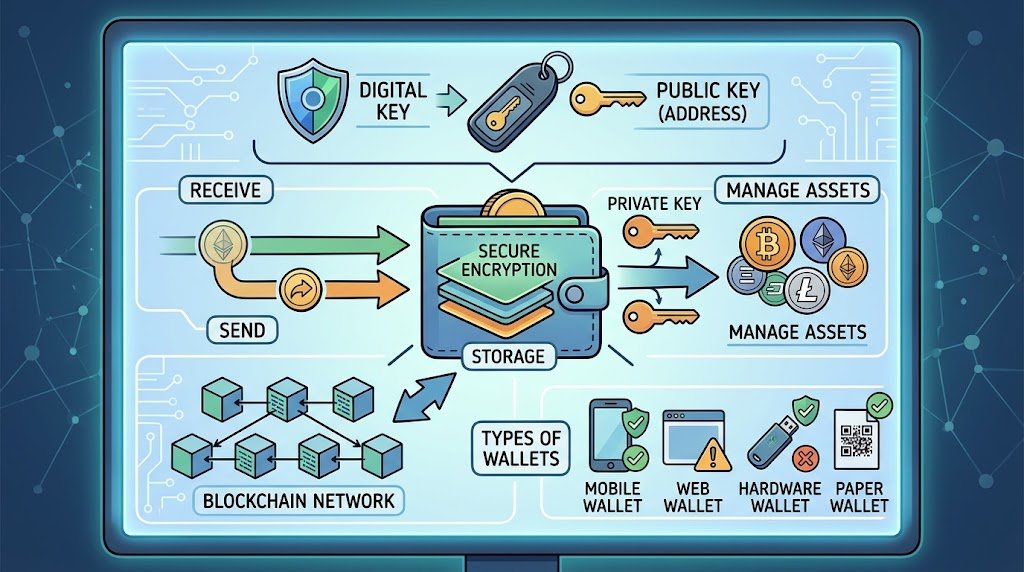
Here’s the thing everyone gets wrong on day one: a wallet doesn’t hold your coins. It’s not a piggy bank. It’s more like a keychain — the coins sit on a blockchain somewhere, out in the open really, and your wallet just holds the keys that let you move them. That’s it. Once you get that one idea, the rest of what is a cryptocurrency wallet stops being confusing jargon and starts making sense.
So let’s actually get into what is a cryptocurrency wallet in practice — the types, the real trade-offs, and a few disasters worth knowing about before you move actual money anywhere.
The Technical Bit (Without Making It Boring)
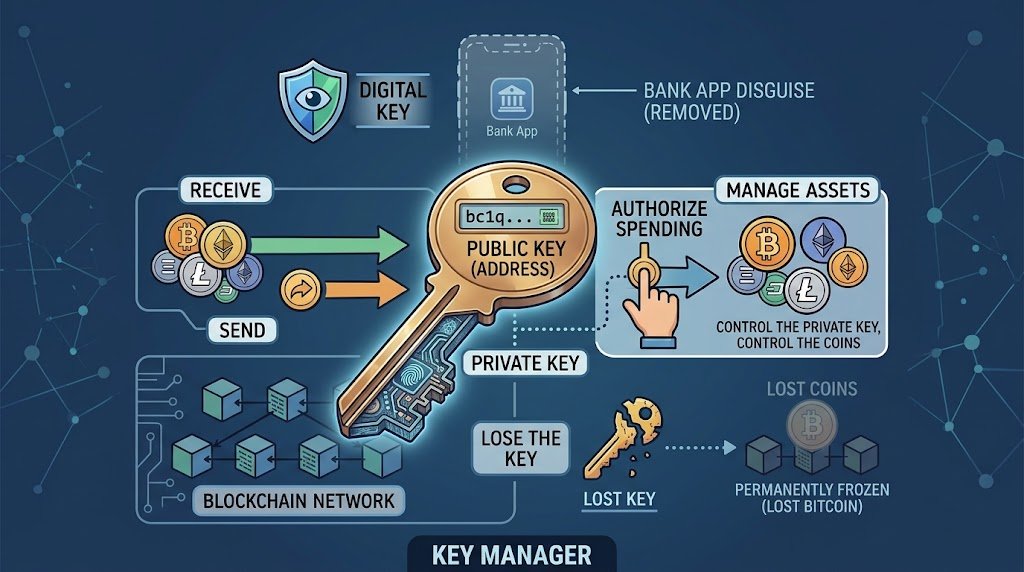
Every wallet generates two keys. A public one, which turns into your address — the bc1q… or 0x… string you hand out to get paid. And a private one, which nobody sees but you, and which is the only thing that actually authorizes spending.
Control the private key, control the coins. Simple as that. This is really the core of what is a cryptocurrency wallet at the technical level, once you strip away all the app branding and marketing language.
Lose the key, and the coins are still sitting there on the blockchain — visible, technically yours, completely unreachable. Chainalysis has floated estimates that put millions of lost Bitcoin in that exact state. Permanently frozen, not by hackers, just by forgetfulness.
What is a cryptocurrency wallet then, if I had to compress it into one line? A key manager pretending to be a bank app. That’s the whole disguise, and understanding what is a cryptocurrency wallet really is changes how careful you end up being with it.
Wait, So the Wallet Doesn’t Store Anything?
Correct. Weird, right? The blockchain is the actual ledger — every node checks it, agrees on it, keeps a copy. Your wallet app is just a window into that ledger, plus the signing power to act on what it shows you.
That’s genuinely the part that confuses people most when they first ask what is a cryptocurrency wallet supposed to do — they expect a container, and instead they get a set of permissions.
Which is exactly why “backing up your wallet” really means backing up a seed phrase, not the app itself. Lose the phone, doesn’t matter, as long as those twelve or twenty-four words exist somewhere on paper.
Restore them into literally any compatible wallet — different brand, different device, doesn’t matter — and you’re back to full access. It’s a genuinely clever piece of engineering when you actually sit and think about it, and it’s arguably the single best answer to what is a cryptocurrency wallet built to survive.
Hot vs Cold: Pick Your Poison
Hot wallets live online — MetaMask, Exodus, whatever’s on your phone. Fast, free, convenient. Send crypto in ten seconds for a few cents in fees.
Also, connected to the internet means connected to everything trying to break into the internet. That trade-off is central to what is a cryptocurrency wallet debate between speed and safety.
Cold wallets go the other direction entirely. A Ledger or Trezor keeps keys offline, only waking up to sign something when you physically press a button on the device. Slower. Annoying sometimes. Way harder to steal remotely.
This breakdown of current cold and hot storage setups lays out the accessibility-vs-security tug of war pretty well if you want the deeper cut on what is a cryptocurrency wallet doing differently in each mode.
| Wallet Type | Online? | Good For | Main Risk |
| Hot (app-based) | Yes | Daily spending | Malware, phishing |
| Hot (browser extension) | Yes | DeFi, NFTs | Scam contracts, fake sites |
| Cold (hardware) | No | Long-term holding | Losing the physical device |
| Cold (paper) | No | Set-and-forget storage | Fire, water, your own memory |
My rule, for whatever it’s worth: spending money goes hot, savings go cold. Treating your entire stack like it’s all spending money is basically how six-figure losses happen from one dumb browser extension click, and it’s the exact scenario where knowing what is a cryptocurrency wallet is actually protecting you would’ve helped.
Custodial vs Non-Custodial — Who’s Actually Holding the Bag
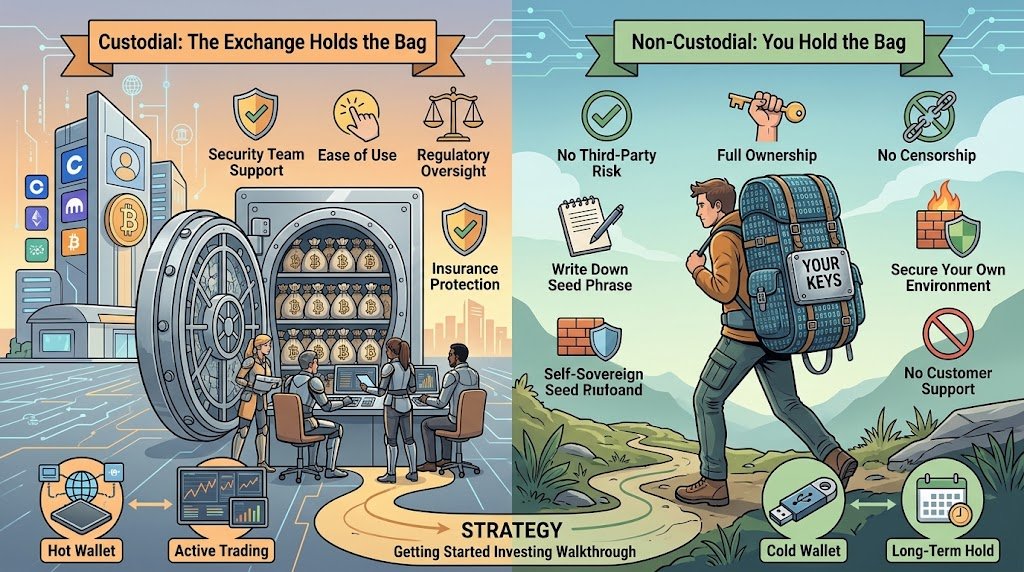
Exchange wallets (Coinbase, Kraken) hold your keys for you. Non-custodial wallets don’t — you hold them, alone, with no safety net. This split matters just as much as hot versus cold when you’re figuring out what is a cryptocurrency wallet you should actually trust with real money.
“Not your keys, not your coins” gets repeated so much in crypto forums it’s basically a cliché, but it earns the repetition. Mt. Gox lost about 850,000 Bitcoin back in 2014 and people are still getting partial repayments through bankruptcy court more than a decade on.
Ronin Bridge got drained of roughly $620 million in 2022 — validator keys, not some random user mistake. These weren’t edge cases; they’re exactly why the custodial question is part of what is a cryptocurrency wallet risk profile that beginners skip past.
Non-custodial flips the risk onto you, which is scarier in one sense and safer in another — nobody else can lose your money for you. I hold long-term stuff non-custodial, trade actively on an exchange, and don’t pretend that’s the only correct answer for everyone.
If your goals are still fuzzy, this walkthrough on getting started investing is worth reading before you even pick a wallet — the wallet should follow the strategy, not the other way round.
Do You Even Need One If You’re Just Using an Exchange?
Short answer: not right away. Every exchange hands you a custodial wallet the second you sign up, no setup required. That’s exactly why nobody stops to ask what is a cryptocurrency wallet the first week — the exchange just quietly handles it in the background and you never see the machinery.
But there’s a ceiling on that convenience. Want to touch DeFi, mint something, hold assets nobody else controls? You’ll need your own wallet eventually. It’s not really an “if.”
FTX collapsing in late 2022 is the loudest recent reminder of what happens when your funds sit under someone else’s roof and that someone mismanages them — another case where understanding what is a cryptocurrency wallet you actually control would’ve mattered a lot to a lot of people.
The Actual Types You’ll Run Into
Mobile wallets — Trust Wallet, Exodus — live on your phone, built for scanning a QR code and moving on with your day. Desktop versions do the same thing for people managing funds from one computer.
Browser extensions like MetaMask pop a little confirmation window every time a site wants your signature — annoying until the one time it saves you from approving something sketchy. Each of these is still answering the same base question of what is a cryptocurrency wallet, just in a different shape and for a different habit.
Hardware wallets make you confirm on a tiny physical screen, which sounds like overkill until you remember malware on your laptop can’t fake a button press on a separate device.
And paper wallets — an actual printed QR code, nothing fancier than that — are still around, mostly for the extremely patient, extremely long-term crowd. Some people engrave the phrase onto steel now instead of paper. Paper burns; steel mostly doesn’t.
Curious how these actually compare feature-for-feature? This look at 2026’s top wallet picks goes deeper on pricing and coin support than I’ve got room for, and it’s a good next stop once the basics of what is a cryptocurrency wallet click for you.
Setting One Up (It’s Faster Than You Think)
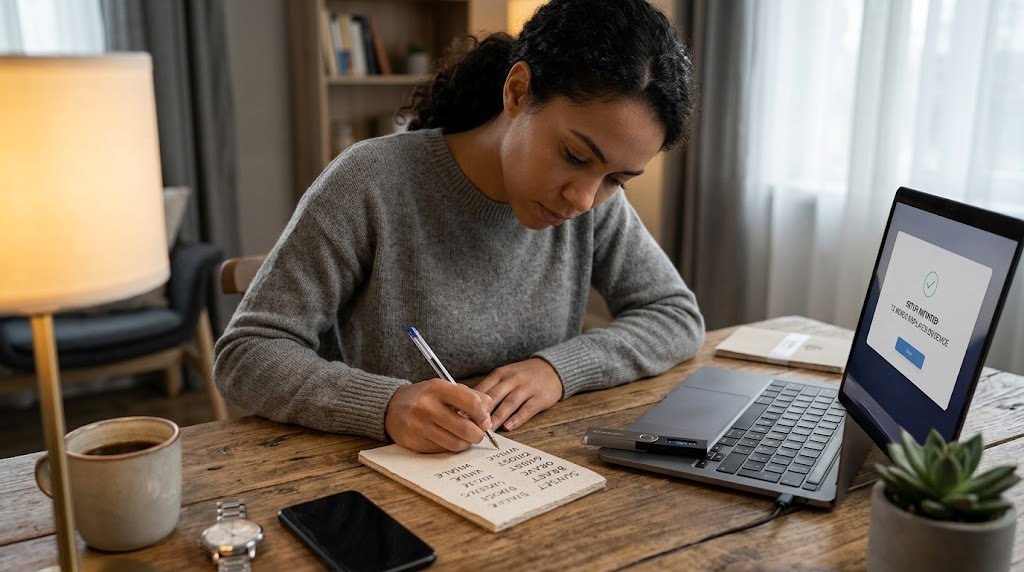
Ten minutes, roughly. Download the app or plug in the device, and it spits out a seed phrase — twelve or twenty-four words pulled from a fixed list of 2,048 possible words, so any compatible wallet anywhere can rebuild the exact same keys from it.
Write it down. Paper. Not a screenshot — I cannot stress that enough — not a notes app, not a photo backed up to iCloud. Getting this step right is honestly most of what is a cryptocurrency wallet setup actually about; everything after it is minor by comparison.
I split mine across two physical locations, which some hardware supports natively through something called Shamir backup, where no single piece alone reconstructs the full key.
Set a PIN, get your address, done. Some wallets let you add a 25th “passphrase” word too, for a hidden wallet only you know exists. Before funding it with anything that matters, send a tiny test amount first. Five bucks. See it arrive. Then move real money.
And If You Lose the Phrase?
Gone. No reset link, no phone number to call, nobody who can override it for you. There’s a well-known story of a guy in the UK who tossed a hard drive with roughly 8,000 Bitcoin on it back in 2013 and has spent years — unsuccessfully — trying to get permission to dig through a landfill for it.
Brutal, yeah. But it’s also the exact same feature that stops anyone else from freezing your funds in the first place. Same coin, flipped over. This is the trade-off baked into what is a cryptocurrency wallet promises you the moment you set one up: total control, zero safety net.
Hardware makers are leaning into social-recovery setups now — splitting backups across trusted people or devices — precisely because “one piece of paper, one house fire” is a genuinely terrifying single point of failure.
Scams Worth Actually Knowing About
Fake wallet apps sneak into app stores sometimes, rack up a few thousand downloads before anyone catches it. Phishing sites clone MetaMask’s UI pixel for pixel.
And “support” accounts on Twitter or Discord asking for your seed phrase — every single time, without exception, that’s a scam. No legitimate anyone ever needs your seed phrase. Ever. Scammers count on people not fully understanding what is a cryptocurrency wallet actually requires from them, which is honestly nothing more than your signature, never your seed.
There’s a newer trick too — address poisoning — where someone sends you a tiny transaction from an address that looks almost identical to one you’ve used before, hoping you’ll copy-paste the wrong one from your history next time. Check the whole string, not just the first and last few characters.
This overlaps a lot with general online safety more than crypto-specific stuff, and these broader security habits apply here just as directly as they do to your email login.
So Which One Should You Actually Get?
New and holding a small amount? Leaving it on the exchange is genuinely fine for now. Once the number gets big enough that losing it would actually sting, move to a non-custodial hot wallet for spending cash and think about hardware for the rest.
Start cheap, start small — a free mobile wallet first, hardware later once you’ve got the hang of sending, receiving, and watching a transaction confirm. That gradual approach is really the safest way to learn what is a cryptocurrency wallet without risking money you’d actually miss.
Once you understand where a wallet sits inside your actual holdings, this look at current market activity is a decent next read.
5 Frequently Asked Questions
What is a cryptocurrency wallet, in the simplest possible terms?
Software or hardware that stores the private keys proving you own crypto on a blockchain — not the coins themselves, just the access to them.
Can just having a wallet lose me money, even if I never spend anything?
No. Holding a wallet costs nothing beyond hardware price. Losses come from lost keys, scams, or fat-fingering the wrong address.
Is hardware worth buying for a small amount?
Not right away for most people. Start free on mobile, upgrade to hardware once holdings are big enough that offline security is worth the $70-150.
One wallet for every coin, or can it handle all of them?
Most modern wallets support thousands of coins across multiple chains. Some smaller or newer chains still need their own dedicated wallet though.
What’s the mistake beginners make the most?
Storing the seed phrase digitally — screenshot, notes app, cloud backup — instead of physical paper kept somewhere private.
Final Thoughts
Keychain, not vault. That’s the whole reframe, and once it sticks, hot versus cold, custodial versus non-custodial, the seed phrase obsession — none of it feels like arbitrary jargon anymore. It’s really the entire answer to what is a cryptocurrency wallet, condensed into two words.
People overthink which app or device to buy and underthink the backup. I’ve watched it happen more than once. What actually matters is understanding what is a cryptocurrency wallet is doing under the hood, and whether your recovery phrase survives a lost phone, a house fire, or just ten years of forgetting where you put it.
Mt. Gox and the landfill hard drive aren’t relics from crypto’s reckless early years either — smaller, quieter versions of both still happen constantly, just without the headlines. Every one of those stories traces back to someone never quite grasping what is a cryptocurrency wallet was asking of them in the first place.
If you’re new, start stupidly small. Move a little into a non-custodial wallet, send it back and forth, get a feel for confirmation times and network fees before they cost you anything real. Hardware and serious cold storage can wait until after that — jumping straight to a $150 device before sending a single test transaction is a fast way to lock yourself out of your own money through nothing but unfamiliarity.
None of this is as intimidating as the vocabulary makes it sound. Public keys, private keys, hot storage, cold storage — all of it exists to solve exactly one problem: proving you own something digital without a bank standing in the middle. Set one up yourself, move a few dollars through it, and the whole concept stops being theoretical. That’s really the only way what is a cryptocurrency wallet ever fully clicks — not another explainer, just doing it with money small enough that a mistake won’t matter.

An IT career coach with 7 years of experience helping beginners map out certification paths that actually lead to interviews, not just another resume line. He’s guided dozens of career-switchers through their first AWS or CompTIA exam and writes for itechnova.io, covering IT certifications, cybersecurity, and the software tools people actually need to know.